MOE Magic — Help Guide
Your Pet Photography Assistant.
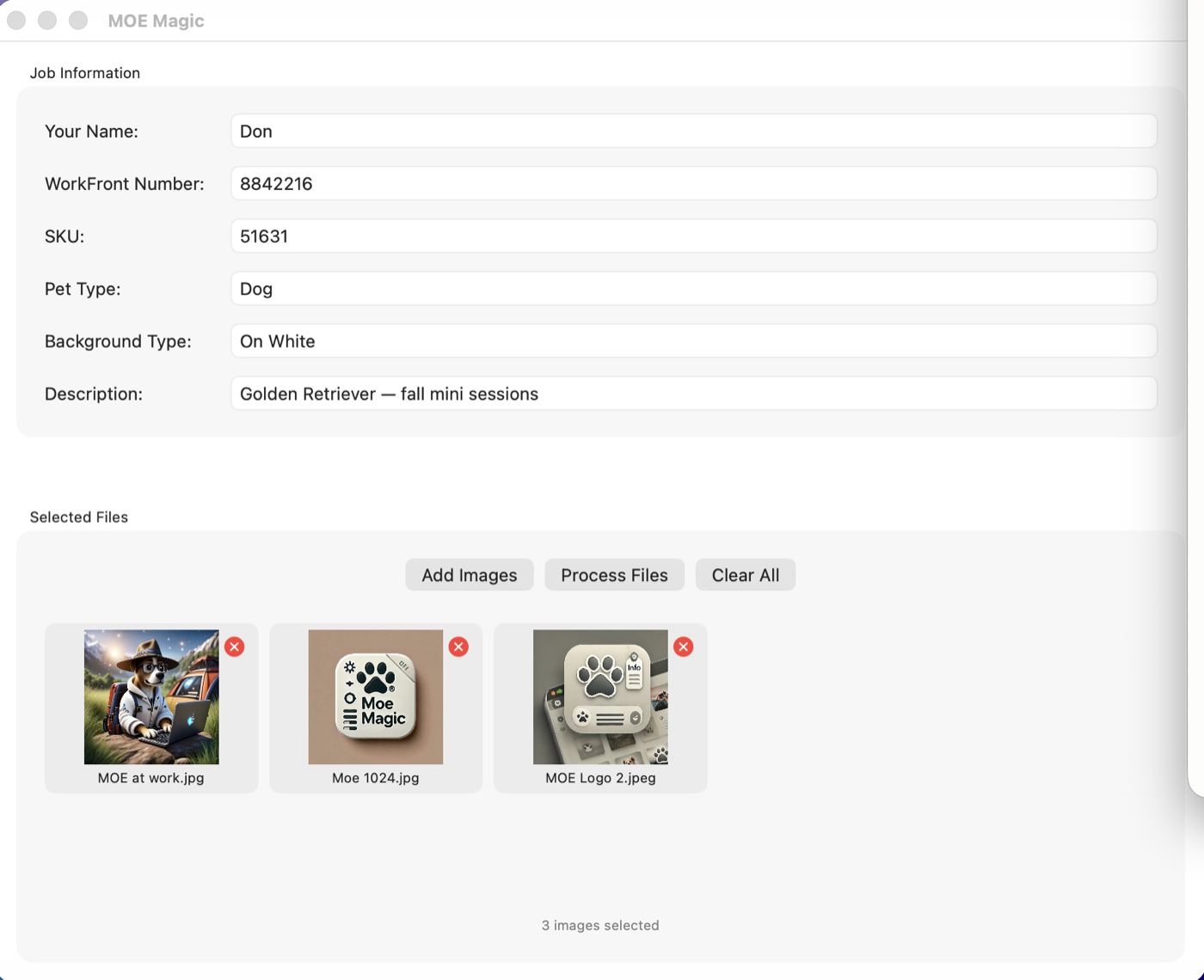
MOE Magic is a simple Mac app for pet-photography studios: pick the shoot's photos, fill in the job details once, and MOE Magic packages the images together with a clean metadata file — ready to hand off to whoever needs them next.
Using MOE Magic
1. Open the app. After the welcome splash, you'll see two panels: Job Information and Selected Files.
2. Fill in the Job Information. Six fields describe the shoot: Your Name (the photographer), WorkFront Number (the job or project number), SKU, Pet Type (dog, cat, or whoever posed today), Background Type (e.g. white seamless, on location), and Description.
3. Select your images. Click the button in Selected Files and choose the shoot's photos. Thumbnails appear so you can confirm you grabbed the right ones — click the X on any image to remove it from the batch, or Clear All to start over.
4. Click Process Files and choose a destination folder. MOE Magic copies your selected images there and writes a metadata file (a small .json document) containing everything you typed — so the job's details travel with the job's pictures.
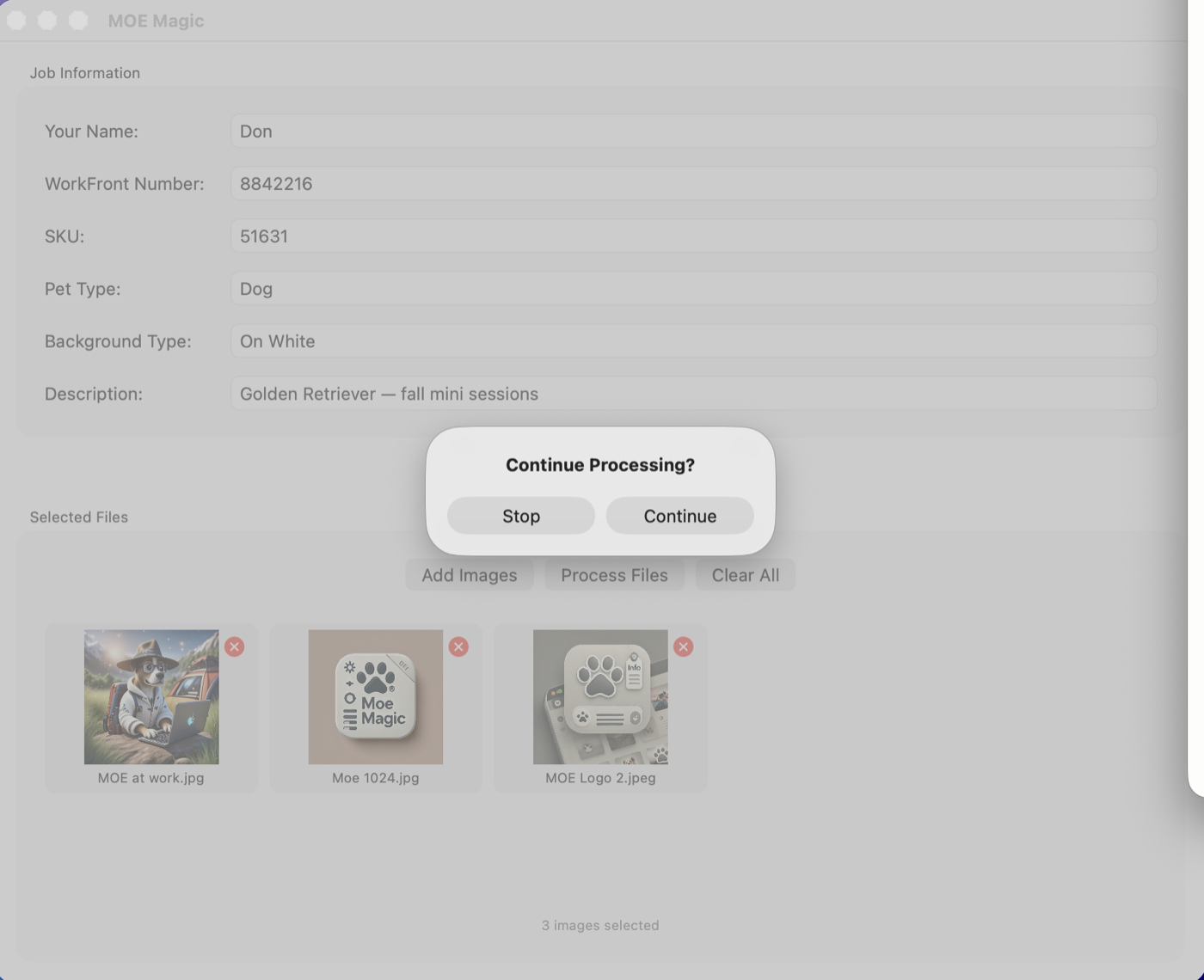
5. Click Continue when the summary appears, and the form resets for the next shoot.
Tips
Nothing is required — fill in the fields you have, skip the rest. The metadata file is plain text; anyone downstream can open it, and media systems can ingest it. Processing never modifies your originals — it copies them to the destination you choose.
Troubleshooting
I picked the wrong images. Click the X on individual thumbnails, or Clear All, then select again — you can change your selection freely before processing.
Where did my metadata go? In the destination folder you chose, next to the copied images, as a metadata .json file.
Need more? If your studio wants CSV shot-list imports, automatic file renaming, drop-down menus, video support, or direct delivery into Iconik, Workfront, or Monday.com — that's exactly what our newer app db's CamTag does. See all our apps at thebrownings.net/apps.
Something else? Email vidbeo@gmail.com.
Privacy
MOE Magic collects nothing and never touches the network. Everything happens on your Mac. Full policy: thebrownings.net/moe-magic-privacy.